

First of all find the undeletable file and right click on the file and click Properties on the menu that appears. When the properties load up click on the "Security" tab at the top of the file properties window. You should see something similar to this:
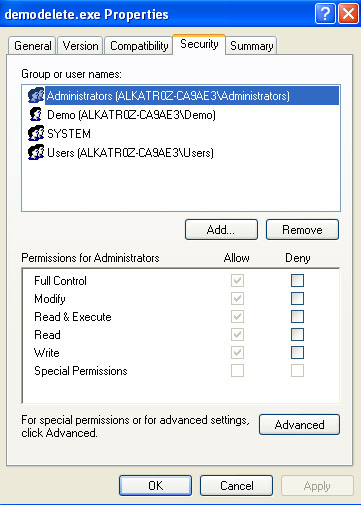
Click the "Advanced" button at the bottom of the properties window and then uncheck the box "Inherit from parent the permission entries that apply to child objects. Include these with entries explicitly defined here.". A messagebox will appear warning you about unchecking it and giving you three options: Copy, Remove and Cancel. Select "Remove".
This will remove all the permissions to the file so if you just finished now nothing would be able to access the file, but it would also mean we can't delete it so we need to add permissions in for us to delete it.
Click on the "Add" button which will bring up a dialog box "Select User or Group" click on Advanced down the bottom and then "Find Now" on the right hand side. This will list all the users and groups in your system. Find and select your user then click "OK". It will return to the "Select User or Group" dialog and you can just click "OK" here again.
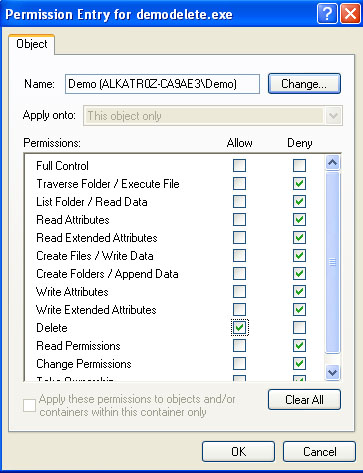
Now for the permissions. First click on the checkbox under Deny for "Full Control". This will block all access of. Then click the Allow checkbox for "Delete". It should look like this:
Please post any comments or suggestions.